Restow 0.4: file shares, Proxmox VE, immutable backups and what else the 0.4 line brought
 By Lucas Flores, IT Systeme Flores UG. Last updated
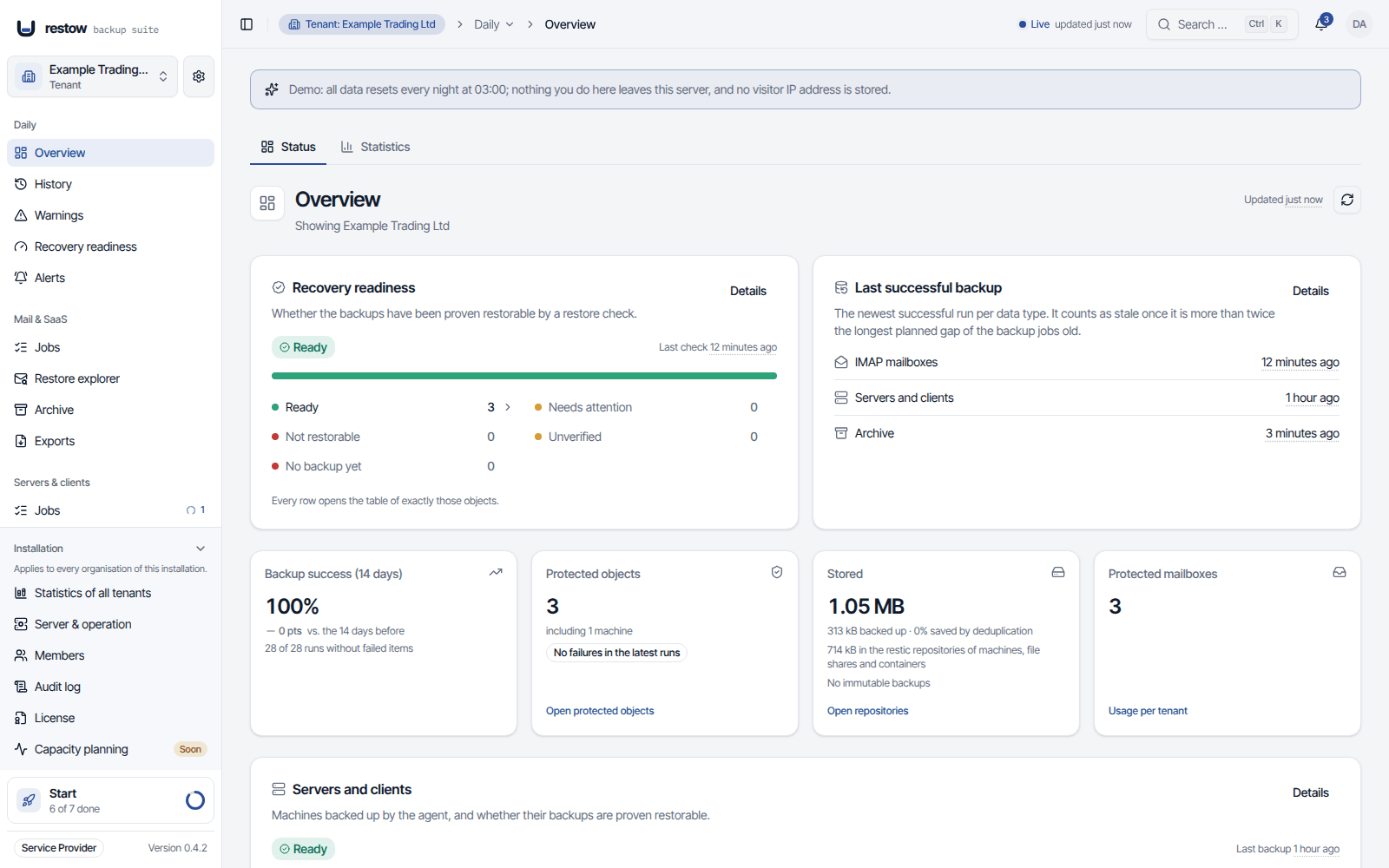
The 0.4 line is thirteen releases, 0.4.0 on 15 October 2026 to 0.4.12 on 4 November 2026. The first one was large, the rest mostly made it steadier. This post looks back at it: what problem each part solves, what shipped, and where the limits are. Restow is a beta, and the release notes of every release say plainly what was tested and what was not. This post repeats that, because a feature list without it would give the wrong impression.
Beyond Microsoft 365
Until 0.4, Restow backed up Microsoft 365, IMAP accounts and machines with an agent. Many small companies also have a file server and a Proxmox VE host, and these were the gap.
File shares. Restow backs up an SMB share (Windows Server, Samba, a NAS) or an NFS export from the server, without an agent on the file server. For one run it mounts the share read-only in a short-lived runner container and keeps NTFS permissions in every restore point (NFSv4 and POSIX ACLs on a best-effort basis). You can restore as a ZIP, into a new folder, to the original location or into another share, with permissions where the target allows it. Every new restore point is checked by reading up to 20 sampled files back, and copy jobs can write the newest checked restore point into a folder of another share. More about file shares.
The limits: file shares were tested against Samba, not against Windows Server, a Synology or TrueNAS share, real NFS exports or a host with SELinux enforcing. There is no VSS over SMB, so files that are open with an exclusive lock are skipped and listed, and the run ends with warnings. SMB 1 is refused. The component that mounts shares needs access to the Docker socket; the 0.4.0 notes say to read the mounts documentation first, or to install with the option that leaves it out.
Proxmox VE (a preview, in every edition). Virtual machines and containers are backed up through a small helper on each node, for Proxmox VE 8.4 and newer, in every edition including the free Community edition. The line added a progress bar for a running backup, weekly or after-every-backup boot tests (the node restores the newest restore point as a new, isolated guest, waits for the guest agent and destroys it again), file restore as a ZIP from containers and VMs, a stop button for running backups, and the option to exclude a guest on purpose. Every new restore point is read back within minutes of its backup, besides the weekly check.
The limits: all of this was tested against a simulated node, and the first real use showed it. Restoring a container, and therefore the boot test of a container, failed on current Proxmox VE until 0.4.6. Restore checks and boot tests of containers with a bind or device mount point failed every time until 0.4.10, and a restore of such a container into a new guest still fails; the 0.4.10 notes say to restore it on the node as root. VM file restore cannot read btrfs, ZFS, ReFS, LVM thin, RAID, BitLocker or LUKS, and restoring single files into a running guest is not built.
SharePoint Online and Microsoft 365 groups. Each SharePoint site found by the directory sync is a protected object of its own: document libraries (optionally with versions), lists with their columns and each item's field values, and the site's description. You can restore as a ZIP, into a library, or list items into their original list. It needs a new permission (Sites.ReadWrite.All, or Sites.Read.All for backup only) and a new admin consent per tenant. Teams chats, attachments of list items and site permissions are not backed up or restored. Microsoft 365 groups, and the groups behind Teams, are opt-in: after the update no group is backed up until you switch it on. A group backup holds the calendar and all conversation posts. A restore into the group itself brings back calendar events only, because Microsoft Graph lets no app post into a group conversation; conversations can be restored into a user's mailbox. Both were tested against a simulated Microsoft Graph, not against a real Microsoft 365 tenant.
Protection when someone tries to delete your backups
A backup that an attacker or a mistaken administrator can delete protects less than it seems. The line added two layers.
Immutable backups. Immutability is set per repository and is off until an administrator turns it on (Repositories, "Change immutability"). On S3, Object Lock (compliance or governance, 1 to 3,650 days) locks the stored data. Restow checks the bucket first, renews the lock of data that is still in use, and never sends the governance bypass header. Restore points show "Immutable until <date>", green only for a compliance retention that the storage itself reported. Lowering the protection needs the provider owner with a recent sign-in. For directories and NFS shares there is only a deletion delay in Restow's own code, and the interface says that it is not immutability.
The limits: it was tested against a simulated S3 with Object Lock, not yet against a real service. The installation's default repository cannot be made immutable, so give a tenant a repository of its own or an immutable copy. Space of deleted data comes back only once its lock has run out.
Ransomware detection with a retention hold. Every new restore point is judged from data the backup already has: the amount of change against the object's own history, mass deletions, renamed extensions, known ransomware extensions and ransom notes, the entropy of sampled new files, and the compression and deduplication ratio of the new data. A suspicious restore point gets a badge, and the restore views offer the newest one without findings. While it is unresolved, a retention hold stops retention and pruning of that object, so clean older restore points are not pruned while encrypted ones pile up. Only an administrator ends a hold. It never blocks a backup and it is no virus scanner. It is on after the update, with its thresholds under Installation. It was tested with simulated attacks, not with live ransomware, and in 0.4.6 a new backup chain stopped being flagged as an attack just because every file in an empty repository is new.
Proof that a backup restores
A green "backup succeeded" says the job ran. It does not say you can restore. Restow rates every object by recovery readiness, based on restore checks, and the 0.4 line extended those checks to the new kinds of data: file shares (sampled files read back, plus a weekly restic check of 5 percent of the repository), Proxmox VE guests (read back within minutes, and boot tests) and, since 0.4.9, the own content of a SharePoint site.
Two ratings were added for cases that used to look wrong. An object that no enabled backup job covers any more reads "In no backup job" instead of turning red because its last backup grows old: it is rated by whether its newest backup restores, and it keeps the tenant from green until you put it back into a job, enable the job or exclude it. An object whose restore check found nothing but default folders reads "Empty" in yellow until an administrator confirms it as empty, after which it reads grey. A pack that storage could not deliver for a moment is no longer rated damaged: it is read again and shows as "temporarily unreadable", and an object becomes "Not restorable" only when a pack is proven damaged or stayed unreadable over three checks and at least 24 hours.
Archive capture from the mailboxes
The archive used to depend on Exchange journaling, which not every tenant or mail host can set up. In 0.4.4 (Business and Service Provider) Restow got more ways to put mail into the archive. Microsoft 365 mailboxes can be captured through Microsoft Graph change notifications, which fetch new mail within minutes. IMAP and Google Workspace accounts are archived by a continuous sync that uses IMAP IDLE where the server offers it. For mail systems that can send copies, a forwarded copy of every incoming and outgoing mail can go to the journal receiver. Existing mail is taken over once, and a mail that reaches the archive by several ways is kept once. The job editor offers only the capture ways that fit each mailbox, and the archive page shows the capture status and raises an alert when capture stops.
The limits are real. This is near-time capture and it is not complete: a mail deleted for good before Restow fetched it can be missing, Graph cannot export mail over about 150 MB, and an IMAP sync is an approximation (a mail moved or deleted right after delivery can be missed). Restow cannot see whether the tenant keeps deleted mail through a retention policy or a litigation hold, so an administrator confirms that on the archive page, which shows the read-only Exchange Online PowerShell commands that check it. Graph notifications only arrive when the installation's public URL is https on port 443 and reachable from Microsoft; otherwise every mailbox is polled. It was tested against a simulated Graph API, a simulated IMAP server and the Dovecot of the release run, not against a real Microsoft 365 tenant or a real Google Workspace. Mail jobs that archived before 0.4.4 keep journaling only; nothing new starts by itself.
Running it day to day
Most of the later releases were about what happens around the backups.
- Updates that respect running backups. The install dialog counts what runs and waits and asks: stop them cleanly (the default), wait until they finish (two hours at most) or do not wait. An update can be planned for a date and time up to 30 days ahead, and Proxmox VE nodes and agents follow a server update while no new run starts.
- "Running now". A start page widget lists every backup, restore and restore check of the moment with its object, duration, items and bytes so far and its speed, live, and a provider administrator sees it across all tenants.
- Objects that are no longer backed up. A mailbox whose account is disabled or unlicensed, or a OneDrive that Microsoft locked, used to fail every night. Now it reads "Not backed up" with the reason and ends without a failure. It also reads amber "Not backed up any more, please confirm" and keeps the tenant at least yellow until an administrator confirms that this is intended. An IMAP account whose login keeps being refused asks the same question. Existing backups are kept in all cases.
- Expiry reminders. Restow reminds provider administrators 30 days and 7 days before the client secret or certificate of a Microsoft 365 app registration expires, and once it has expired. The date is entered, not read from Microsoft Graph.
- Fewer false failures, clearer errors. A backup that Microsoft Graph or the storage held back with throttling reads amber "Held back by the service, retried" instead of red. A restore that restored nothing is no longer reported as completed. Error texts open in a card with a Copy button. A lock that a Proxmox VE container backup left behind no longer postpones its restore check for good (0.4.11).
Licensing and service providers
License keys can now carry the terms of their updates: an update period and a series. A key with an update period covers every release made up to the end of that day. Restow marks the releases the installed Business or Service Provider key does not cover, offers and installs only covered ones, and a release started by hand that the key does not cover stops before its database migrations (or starts as Community if you set RESTOW_RUN_AS_COMMUNITY=1). Keys are verified offline, and the installed version keeps working. Every key issued so far is a beta license and covers every 0.x and 1.x release, so none of this applies to it yet. The terms are on the page about security fixes and updates. Security fixes and updates.
For providers, the installation owner can enter a monthly price per mailbox and per GB or TB of stored backups (in EUR, CHF, USD or GBP). Each tenant's overview then shows a "Price per month" card, and under "All tenants" a card shows the monthly total over all customers. With the Service Provider edition a tenant can have its own prices, and storage can be billed in started blocks of 100 GB or 1 TB. Restow bills nothing and limits nothing: it is an estimate for your own invoicing. Tenant users never see prices.
Security fixes in the line
Most releases of the line fixed no vulnerability, and the notes say so. What the notes list:
- 0.4.0: no vulnerability was fixed. As hardening, a new or changed S3 endpoint over plain http:// is refused (except to localhost); endpoints saved before keep working and are marked red until they move to HTTPS.
- 0.4.5: the Entra tenant in the setup wizard is accepted only as a tenant id or a verified domain, and an IMAP OAuth2 secret is checked more strictly. The token URL was never open to another host, but a value such as ".." changed its path.
- 0.4.7 and 0.4.8: updated dependencies resolved advisories (ip-address, seroval and zod). One zod advisory about memory use on large arrays stayed open for Restow's own code until 0.4.8 moved to zod 4; the request size limit bounded it meanwhile, and the dependency audit of the release pipeline now ignores no advisory.
- 0.4.9: one real leak was closed. In 0.4.8 the audit entry of a changed per-tenant price carried the prices, and a tenant's administrator could read the prices the provider had set for their own tenant. Only 0.4.8 was affected, and only where an owner had given a tenant its own prices (Service Provider edition). Other tenants' prices and the installation's prices were not exposed.
What was and was not tested
Every release runs a release check of the published images. In every release of the line, check 4, which backs up and restores Microsoft 365 against a development tenant, was skipped, so Microsoft 365 was never exercised end to end in that run. In 0.4.0 to 0.4.3, 11 of 12 checks passed in full, and since 0.4.4, 12 of 13 (the archive capture added a check). Beyond that, the release notes list what was tested only against simulated services: Proxmox VE, SharePoint, groups, immutable backups, boot tests, VM file restore, agent policies, the archive capture, and the moving of the database to another disk through a real updater. Treat these as features you try on test data first.
How to upgrade
Read the release notes of every version between yours and the new one, take a database backup, and check that your RESTOW_MASTER_KEY is backed up offline. From 0.3.6, the update to 0.4.0 runs seventeen database migrations, needs the docker-compose.yml of 0.4.0 (run the installer again) and, for SharePoint, a new admin consent per tenant. Update restow-pve on every Proxmox VE node; nodes also update themselves when idle. The migrations are not reversible, so going back needs the database dump taken before the update. The page on updates in the docs describes the manual path and the opt-in updater. Updates in the docs.
What comes next
The roadmap names items for Next, without versions or dates: an item moves to shipped when a published release contains it. They are everyday items (protection groups that assign new machines to a job, wizards for adding a source or an agent, touch-friendly menus, pins and a command palette), Microsoft items (a Microsoft 365 app per tenant, a replace mode for OneDrive files, and sign-in with Microsoft and single sign-on, which are planned and not available today) and archive items (the archive as a mail browser with visible proof per mail, archive proofs and end-user search, external daily anchors for the hash chain, and a generator for procedural documentation), plus white labeling. All of it is planned, not promised for a date. Roadmap.
Frequently asked
Is Restow 0.4 ready to be my only backup?
No. Restow is a beta. Run it next to your existing backup until you have checked restores against your own data. Several features of the 0.4 line were tested against simulated services only, and in every release so far the check of the release run that backs up and restores Microsoft 365 against a development tenant was skipped.
Which editions include Proxmox VE backup?
Every edition, the free Community edition included. It is a preview and works with Proxmox VE 8.4 and newer.
Is a directory or an NFS share as good as S3 Object Lock for immutable backups?
No. Only S3 Object Lock is enforced by the storage. For directories and NFS shares Restow adds a deletion delay: its own code refuses to delete or overwrite a file until the period has passed. That protects against misuse of Restow, not against someone with access to the server, and the interface says that it is not immutability.
Which editions include the archive capture from the mailboxes?
Business and Service Provider. It is near-time capture and not complete: a mail that is deleted for good before Restow fetched it can be missing.
Can a license key stop my installation?
A key carries no expiry, only the releases it covers. Every key issued so far is a beta license and covers every 0.x and 1.x release. Restow verifies keys offline and contacts no license server, so nothing stops while it runs.
Sources
Read on 12 November 2026: the release notes of 0.4.0 to 0.4.12 and the product's own interface texts. Release notes in English.
- Restow releases on GitHub , with the notes, the release check results and the known issues of every release.
- Changelog and roadmap on this site.
- Docs: Updates .