Restow 0.5.0: whole Linux machines onto new hardware, a Windows agent and repository copies
 By Lucas Flores, IT Systeme Flores UG. Last updated
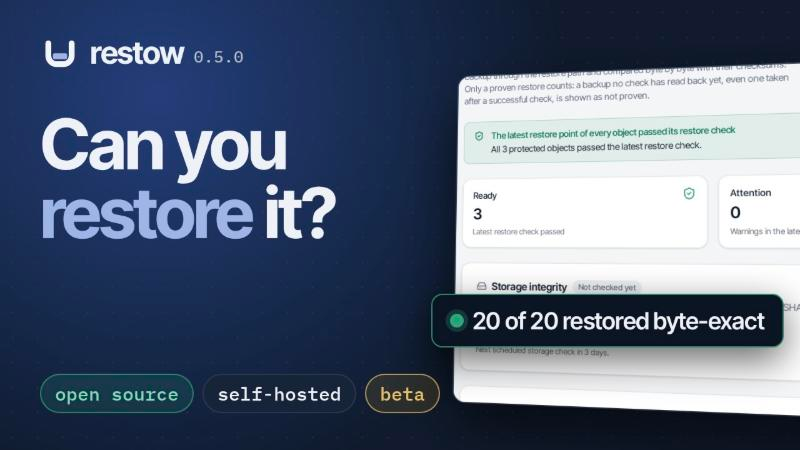
Restow 0.5.0 was published on 19 November 2026. Its main theme: a whole Linux machine can now be backed up and restored onto new disks from a recovery ISO, and Restow tries to prove it before it calls a machine green. Next to that come a Windows agent, the restic repositories of machines, containers and file shares on every copy target, worker nodes on other hosts, restoring an installation from a database dump, and reports and branding for service providers. Several of these are previews, and this post says which and why.
Whole Linux machines onto new hardware (preview)
- Whole machine backups. A switch in a backup job backs up every local file system of a Linux machine, its btrfs subvolumes and local fstab entries, with the disk layout: partitions, RAID, LVM, LUKS, file systems and boot loader. The agent reads from LVM and btrfs snapshots where it can and live where it cannot, and says which. The first run after the switch builds on the machine's restore points in the same repository.
- The recovery ISO. A signed, reproducible Debian 13 live image that starts with UEFI, also with Secure Boot, or with legacy BIOS, and restores the machine onto new disks, smaller or larger ones too. A one-time recovery code for that machine, bound to your instance, starts it.
- The boot probe. After every whole machine backup the server checks the layout. With the optional recovery lab on a host with KVM, Restow restores the newest backup in a virtual machine, through the same recovery a person runs, and calls the machine green only when it started, at most 8 days ago. Without the lab a machine stays at "Layout checked".
Why it is a preview: restores are amd64 only; they are tested in the CI, in QEMU/KVM, for Debian 12 and 13 and Ubuntu 22.04 and 24.04, and not yet on real hardware. Other distributions are meant to work but are marked untested. Windows and macOS machines keep backing up their folders. Test a restore of your own machines onto spare hardware before you rely on it. Whole machine backups, bare-metal restore.
Windows (preview)
Windows machines on x64 can now be enrolled. The agent backs up files and folders from a volume shadow copy (VSS) and restores onto a local drive. For SQL Server, a machine job can switch on a native backup: a copy-only full backup of each database after the file backup, signed in with the agent's own service identity, without a stored credential and without touching your own backup chain, with a restore under a new name, a restore script for another machine and a weekly CHECKDB.
The limits: the binaries carry no Authenticode signature, so Defender, Smart App Control or ASR rules may block them (the release notes list their SHA-256 for allow-listing); no system state, no registry, no bare-metal restore for Windows; a shadow copy makes files crash consistent, not application consistent. Windows was tested on real machines only through the maintainer's checklist. Windows, SQL Server.
Storage
- The restic repositories of machines, Proxmox VE containers and file shares are now kept on every copy target, checked after each copy, and read from the copy when the primary lost a repository. A tenant with them can make a copy target its primary.
- A write-once (WORM) repository, such as an NFS share of a NAS with a WORM lock, is recognised by its test and used without retention.
- A run that adds far more than usual raises a warning, and a run that would fill its target is held until there is room. A 2 GiB reserve on the database's disk lets the database start again after a full disk without a shell.
Running it
- An installation can be restored onto a new host from a dump of its database, in the setup wizard or with install.sh. Restore mode then deletes nothing, holds the jobs from before the restore and compares the storage with the database until an owner ends it.
- Worker nodes on other hosts take on work of the installation, joined with a one-time token; a second server that takes over is not available yet. Worker nodes.
- Capacity planning shows utilisation and growth per tenant and repository with a forecast, never as a fact and never in green. The setup wizard asks what you want to protect and hides the modules you do not use.
For service providers
The provider gets notification recipients of its own, and the owners always receive the critical events; every e-mail recipient chooses per severity between alerts at once and an hourly or daily digest. Summary reports come daily, weekly or monthly with a PDF (Business), and a monthly report for a tenant's contacts as mail and PDF, without prices (Service Provider). Mails and reports carry your logo and accent colour (Business for the provider, Service Provider per tenant). For PSA and billing tools there is GET /api/v1/provider/billing with the provider-only scope billing:read (Service Provider), and next to mailbox and storage prices there are optional prices per server, client, Proxmox VE VM, container and file share.
Before you update: what changes
- Thirty-two database migrations run on start.
- Every owner of the provider team now receives the critical events by e-mail; without a mail transport, a delivery failure alert stays until one is set up.
- Phones get a block page instead of the app: use a computer or a tablet.
- Deleting every backup of a revoked machine waits seven days and needs an owner with a reason.
- The agent no longer backs up its own state file; restore operators cannot restore LUKS key files.
- Whole machine backups are offered at once; RESTOW_BAREMETAL_PREVIEW=false hides them.
- The integration API moves to contract 1.10.0, additively.
Upgrading to 0.5.0 in the documentation lists what to do.
Security
The security entries of 0.5.0 harden the new recovery: retention and the removal of a machine's backups wait while a recovery reads the repository, redeeming a code, a refused code and rebinding a machine alert the tenant administrators, and recovery codes are removed from every stored log. The dependency audit leaves out one advisory of a test-only package that has no fixed version; the production images do not contain it. Security updates and support.
What was and was not tested
The release run passed 12 of its 13 checks in full; check 4, Microsoft 365 against a dev tenant, was skipped, as in every release so far. The Community build passed 9 of 13 and skipped 4, as it does by design. Reports for arm64 are attached as well. The bare-metal restore was proven in the CI in virtual machines, not on real hardware; Windows only through the maintainer's checklist on real machines.
What comes next
The Roadmap lists what is planned, without versions and dates. Among the items still open: a bare-metal restore of Windows machines, ZFS and APFS snapshots, a storage node for immutable backups in your own building, and sign-in with Microsoft.
Frequently asked
Is Restow 0.5.0 ready to be my only backup?
No. Restow is a beta. Run it next to your existing backup until you have checked restores against your own data. That holds twice for the previews of 0.5.0: bare metal, the recovery ISO, the Windows agent and the SQL Server backup.
Can I restore a Windows machine onto new hardware?
Not yet. The Windows agent of 0.5.0 backs up files and folders from shadow copies; system state, the registry and a bare-metal restore of Windows are planned for a later release. A whole Windows machine is restored by installing Windows again and then bringing the files back.
Do I need the recovery lab?
Not for backups and not for a restore. The lab is what turns a machine green: it restores the newest whole machine backup in a virtual machine and checks that it starts. It is an optional image that needs KVM on the main host. Without it, a machine stays at "Layout checked", and only a test restore of your own onto spare hardware tells you more.